Product & Feature
Virtual queue management with the TIMIFY Smart Serve App

Updated: Published:
Manage appointments, walk-ins and customer arrivals in one real-time queue management system. TIMIFY Smart Serve helps teams reduce crowded waiting areas, improve customer flow and keep staff, customers and resources aligned throughout the service day.
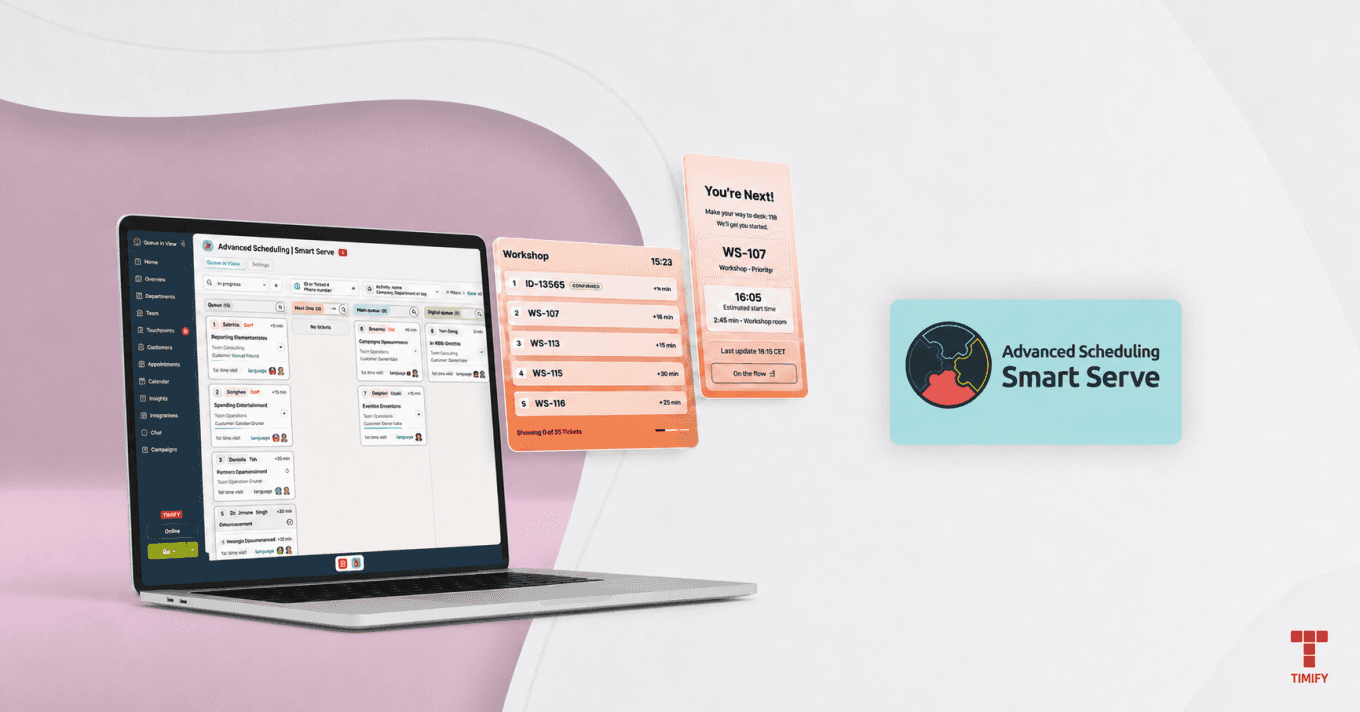

TIMIFY
TIMIFY is an appointment booking and resource scheduling software for teams and enterprises
In today’s on-demand world, long queues remain a common pain point for businesses and the customers they serve. Whether in retail stores, healthcare facilities, financial branches or government offices, people expect clear information, flexible waiting options and a smoother arrival experience.
Traditional queues rarely meet those expectations. Customers do not want to stand in line without knowing what happens next. Staff do not want to manage paper lists, verbal updates and disconnected tools while trying to serve people efficiently.
TIMIFY Smart Serve brings a more modern approach to appointment scheduling and queue management. It connects scheduled appointments, walk-ins, customer check-ins, staff availability and live queue updates in one operational flow. Customers can join or confirm their visit digitally, receive clear status updates and wait more flexibly. Staff get one live view of the service day, with the tools they need to manage tickets, resources and delays in real time.
The result is a calmer waiting experience, better customer flow and more control for teams working in busy service environments.
The Challenge of Physical Queues and Long Wait Times
Physical queues and long wait times do more than frustrate customers. They affect customer loyalty, staff workload and overall service delivery. For walk-in customers, the sight of a long line can be enough to leave, delay their visit or choose another provider.
For staff, the pressure builds quickly. Reception teams need to answer status questions, update customers, coordinate resources and keep the day moving. During peak hours, this can become chaotic. Appointments run over. Walk-ins arrive unexpectedly. Customers are late. Staff availability changes. The planned schedule no longer reflects what is actually happening on-site.
That is where traditional queue systems often fall short. Many only start when a customer takes a ticket. But in real service environments, the queue starts earlier, with the appointment, the service, the resource and the customer arrival.
Businesses need queue management software for appointments and walk-ins that can manage both streams together, update queue status in real time and help staff make better operational decisions throughout the day.
What is Virtual Queue Management?
Queue management software helps businesses manage customer queues, scheduled appointments, walk-ins and service availability in a structured digital way. Instead of treating waiting customers as a separate process, it connects customer arrival with appointment scheduling, staff availability and live service operations.
With a real-time queue management system, customers can check in, join a digital queue, receive a ticket and stay informed about their queue status. Waiting-room displays, mobile ticket pages and kiosk views can help customers understand what is happening without repeatedly asking staff for updates.
Behind the scenes, staff can see who is waiting, who is being called, who is currently in service and which tickets need attention. They can call customers, mark no-shows, adjust service duration, reassign resources and keep the queue moving from one live board.
This makes appointment queue management software especially useful for businesses that manage both pre-booked appointments and spontaneous walk-ins. It improves operational visibility, reduces pressure on reception teams and creates a more transparent customer experience.
Introducing the TIMIFY Smart Serve App
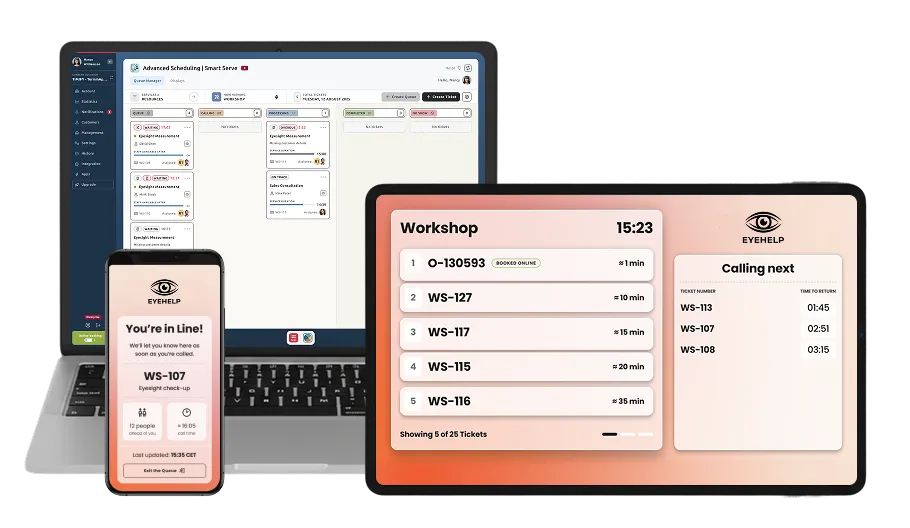
TIMIFY Smart Serve is queue management software designed to connect appointments, walk-ins, customer check-ins and real-time service flow.
For businesses that serve customers on-site, Smart Serve helps turn the planned schedule into a live operational system. Scheduled appointments can become active queue tickets when customers check in. Walk-ins can be added through a kiosk, QR code flow or staff-assisted entry. Staff can then manage both streams from one queue view.
Smart Serve acts as the bridge between online appointment booking and live queue management. It gives teams visibility over customer arrivals, current waiting times, ticket status, staff availability and resource assignments.
Customers benefit from a clearer, more flexible experience. They can receive digital queue tickets, follow queue updates and understand what to do next. Staff benefit from better control, fewer manual updates and a more accurate view of what is happening across the service environment.
What does Smart Serve do?
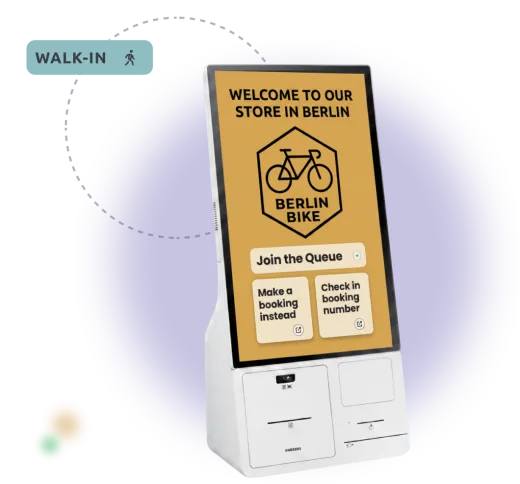
- Manage appointments and walk-ins together: Bring scheduled appointments and spontaneous visits into one live queue management system.
- Support customer check-in: Let customers check in for booked appointments or join the queue as walk-ins.
- Create digital queue tickets: Turn arrivals into active tickets with clear status, service information and customer context.
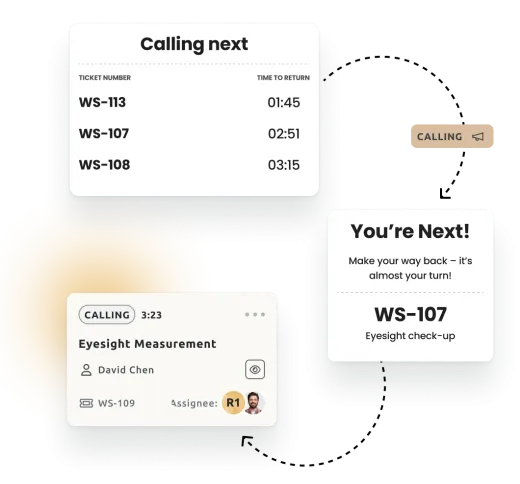
- Update queue status in real time: Keep staff dashboards, mobile tickets, kiosk views and waiting-room displays aligned.
- Give staff one live queue view: Let teams see who is waiting, who is being called, who is in service and which tickets need attention.
- Support kiosk and QR code entry: Give customers simple ways to join the queue or confirm their visit on-site.
- Manage no-shows and delays: Mark no-shows, adjust service duration and keep the queue accurate as the day changes.
- Coordinate resources: Help teams manage staff, services, rooms or other resources within the live service flow.
- Track the service day: Record ticket status, service duration and operational activity for better follow-up and reporting.
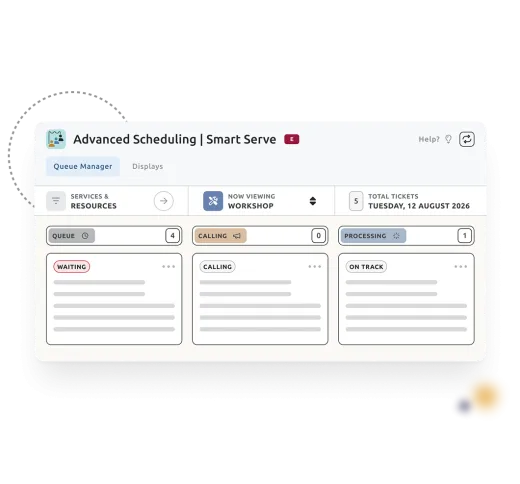
With TIMIFY Smart Serve, businesses can reduce waiting-area pressure, improve customer flow and manage the day as it actually happens, not just as it was planned.
What are the benefits?
- Manage scheduled appointments and walk-ins in one connected queue.
- Improve walk-in queue management without disrupting booked appointments.
- Reduce crowded waiting areas and pressure on reception staff.
- Give customers clearer updates through digital tickets, mobile pages and queue displays.
- Support customer check-in software workflows for booked appointments and walk-in visits.
- Help staff manage live queue activity without paper lists or disconnected tools.
- Improve visibility over staff availability, resources and ticket status.
- Support more flexible customer arrival journeys through check-in, kiosk and QR code flows.
- React faster when appointments run over, customers arrive late or walk-ins increase demand.
- Create a more transparent, calmer and more professional customer experience.
How to use it
- Set up Smart Serve for the services, teams and resources you want to manage in a live queue.
- Connect scheduled appointments to the queue flow, so booked customers can check in when they arrive.
- Allow walk-ins to join through a kiosk, QR code flow or staff-assisted entry.
- Use the Queue Manager to call customers, move tickets through the service flow, mark no-shows, adjust timing and reassign resources.
- Keep customers updated through mobile tickets, waiting-room displays and kiosk views.
- Review ticket status and actual service activity to understand what happened during the day and improve future planning.
